
You spent three weeks on that brochure. The design was sharp, the copy was tight, and the product shots were gorgeous. Then you exported it as a PDF, attached it to an email, and hoped.
What happened next is the part nobody tells you. Someone opened it on a phone, pinched, zoomed, dragged sideways, gave up on page two, and closed it. You will never know. A PDF does not tell you.
This is the gap interactive flipbooks were built to close. Here is what they are, how they work, and where a plain PDF still wins.
What is an interactive flipbook?
An interactive flipbook is a digital publication that turns the page like a real book but adds things paper cannot do: embedded video, clickable links, forms, search, and reader analytics. It opens in a browser from a single link, with no download or app required, and works on phones, tablets and desktops.
Think of it as a brochure, catalogue, report or magazine that kept the feel of paper and dropped its limits.
How is an interactive flipbook different from a PDF?
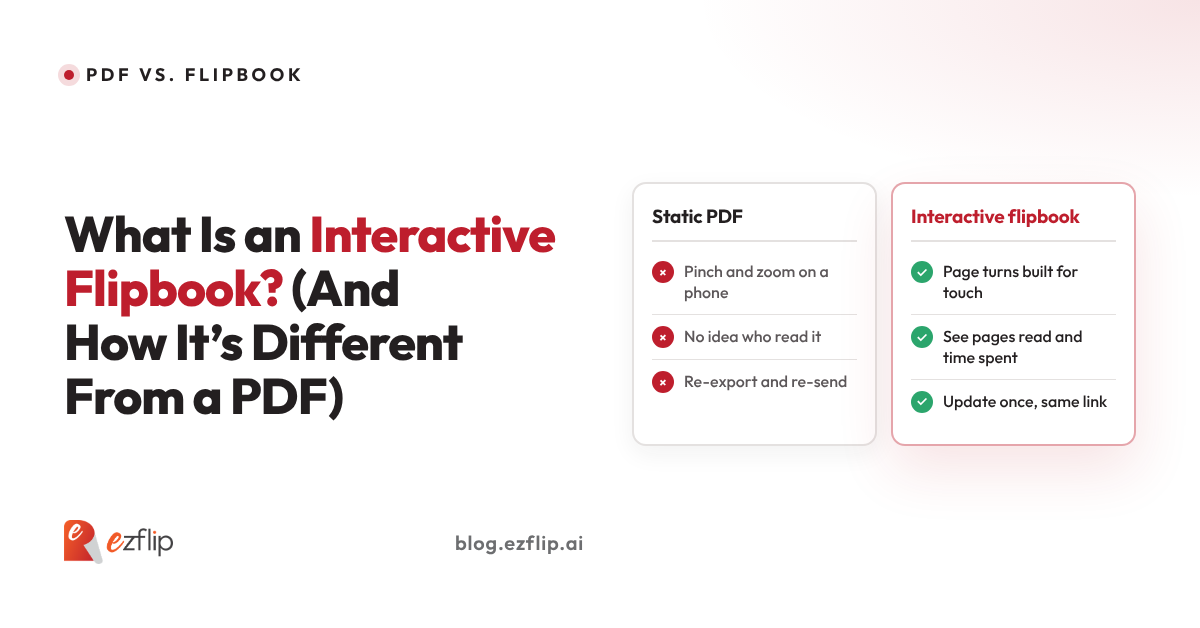
A PDF is a fixed digital page built to look identical when printed. An interactive flipbook is built to be read and used on screen. The PDF delivers a file and hopes for the best. The flipbook delivers an experience, with media, links and forms inside the pages, plus data on how readers actually engage.
The quickest way to see it is side by side:
| Interactive flipbook | ||
|---|---|---|
| Built for | Print and archiving | Screens and sharing |
| Reading on a phone | Pinch, zoom, drag | Touch-friendly page turns |
| Video and audio | Limited and unreliable | Plays right on the page |
| Links and actions | Basic links | Buttons, forms, product links, CTAs |
| Sharing | Attachment or download | One link, opens in the browser |
| Updating | Re-export and re-send everyone | Update once, the same link stays live |
| What you learn | Maybe a download count | Opens, pages read, time spent, clicks |
That last row is the one that changes how teams work.
Why does a PDF feel clunky on a phone?
Because a PDF keeps its print layout. A page designed for A4 or Letter paper gets shrunk to fit a phone screen, so readers pinch, zoom and drag sideways just to finish a sentence. A flipbook is delivered in a browser viewer that handles zoom, navigation and page turns for touch screens.
This matters more than it sounds. A large share of first opens happen on a phone, usually between two other things. A document that fights the reader in the first ten seconds rarely gets a second chance.
What can an interactive flipbook do that a PDF can’t?
An interactive flipbook can play video on the page, link a product photo straight to its buy or enquiry page, capture leads through forms, and let readers search inside the publication. A PDF can hold a link or two, but it treats every page as a flat picture of paper.
Here is what that looks like in real life:
- A product catalogue where tapping a jacket opens its product page, instead of sending the reader hunting through a price list.
- A sales deck with a 30 second demo clip sitting on the page where the feature is explained.
- An employee handbook that people can search, rather than scrolling through 60 pages to find the leave policy.
- A training manual with short videos beside the steps they explain.
- A magazine or newsletter that feels like flipping through something, not scrolling a file.
The content is the same. What changes is how much the reader can do without leaving the page.
Can you see who reads a flipbook and what they read?
Yes. Interactive flipbooks can show how many people opened the publication, which pages held attention, how long readers stayed, and which links they clicked. A PDF sent as an attachment gives you none of this once it leaves your outbox, so you are guessing which pages worked.
This is the quiet superpower. If 80 percent of readers leave on page four, that is not a mystery anymore, it is a to-do item. If one product page gets all the clicks, that page just told you what to lead with next time.
For marketing, sales and training teams, this turns a document from something you send into something you can learn from.
When is a PDF still the better choice?
A PDF is still the better choice when the document needs to be printed, signed, archived, or kept exactly as written, such as contracts, invoices and legal records. It is the standard for a reason. Flipbooks earn their place when the goal is to be read, explored or acted on.
A simple rule: if the document’s job ends in a printer or a filing cabinet, use a PDF. If its job is to persuade, teach, sell or be browsed, a flipbook does more with the same pages.
The two are not rivals. Most teams keep the PDF as the master copy and publish a flipbook as the version people actually read.
How do you turn a PDF into an interactive flipbook?
You upload the PDF to a flipbook platform, which converts each page into a turnable, browser-ready page. You can then add video, links, buttons and forms, choose how it looks, and share it with one link. Most teams go from PDF to live flipbook in minutes, not days.
That is the idea behind Ezflip, an AI-powered interactive flipbook platform. Bring the PDF you already have, and turn it into something people can open, explore and act on from any device.
Curious how your own PDF would look as a flipbook?
Upload it to Ezflip and see it as an interactive flipbook in minutes. It’s free to get started.